In 2026, OpenAI’s free API and http://Discord.js made this 10x easier. Server members will chat with AI 24/7 while you sleep peacefully.
Before Building Discord ChatGPT Bot Free – Requirements
For discord chatgpt bot free setup you need these 3 things:
Item | Why You Need It | Cost
Discord Account | To create the bot | Free
OpenAI API Key | ChatGPT’s brain | $5 free credit
Replit Account | Keep bot online 24/7 | Free
OpenAI gives every new account $5 free credit in 2026. That’s enough to run a discord chatgpt bot free for 3-4 months. If credits run out, make a new account with new Gmail.
Step 1: Create Discord Application – 2 Minutes
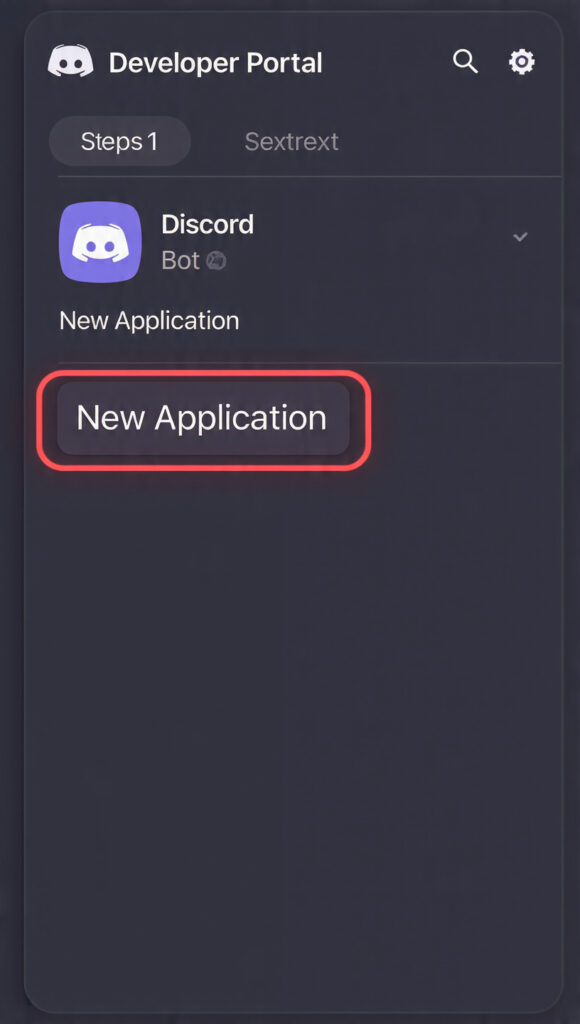
- Open Discord Developer Portal: https://discord.com/developers/applications
- Click New Application → Name it
ChatGPT-Free-Bot - Go to Bot tab → Add Bot → Yes, do it!
- Click Reset Token and copy the token. Don’t share this with anyone.
- Under Privileged Gateway Intents turn ON 3 options: Presence, Server Members, Message Content
Important: In Bot Permissions tick Send Messages, Read Message History, Use Slash Commands.
Now go to OAuth2 → URL Generator. Select scopes bot and applications.commands. Copy the link below and invite the bot to your server.
Step 2: Get OpenAI Free API Key – 1 Minute
- Open OpenAI Platform: https://platform.openai.com/api-keys
- Click Create new secret key → Name it
DiscordBot - Copy the key – it starts with
sk-proj-xxxx
This API key makes your discord chatgpt bot free smart. $5 credit can process 2.5 million words. For a normal server, it lasts 6 months.
Step 3: Paste Code on Replit – 5 Minutes
- Go to http://Replit.com → Create Repl → Select Python
- Paste this code in
main.pyfile:
import discord
import openai
import os
from discord.ext import commands
API Keys – Add in Replit Secrets
openai.api_key = os.environ[‘OPENAI_KEY’]
TOKEN = os.environ[‘DISCORD_TOKEN’]
intents = discord.Intents.default()
intents.message_content = True
bot = commands.Bot(command_prefix=’!’, intents=intents)
@bot.event
async def on_ready():
print(f'{bot.user} is now running!’)
await bot.tree.sync()
@bot.tree.command(name=”ask”, description=”Ask ChatGPT anything”)
async def ask(interaction: discord.Interaction, prompt: str):
await interaction.response.defer()
try:
    response = openai.chat.completions.create(
        model="gpt-4o-mini", # Cheapest model 2026
        messages=[{"role": "user", "content": prompt}],
        max_tokens=500
    )
    answer = response.choices[0].message.content
    await interaction.followup.send(f"**Question:** {prompt}\n\n**ChatGPT:** {answer}")
except Exception as e:
    await interaction.followup.send("Error: API limit reached or invalid key")
@bot.event
async def on_message(message):
if message.author == bot.user:
return
if bot.user.mentioned_in(message):
    prompt = message.content.replace(f'<@{bot.user.id}>', '').strip()
    response = openai.chat.completions.create(
        model="gpt-4o-mini",
        messages=[{"role": "user", "content": prompt}]
    )
    await message.channel.send(response.choices[0].message.content)

await bot.process_commands(message)
bot.run(TOKEN)
- Open Secrets tab 🔒 → Create 2 keys:
DISCORD_TOKEN= Paste Discord tokenOPENAI_KEY= Paste OpenAI key
Step 4: 24/7 Free Hosting for Bot – 2 Minutes
Replit stops bots on free plan. To keep your discord chatgpt bot free online 24/7:
- Open Shell in Replit and type:
pip install flask - Create new file
keep_alive.py:
from flask import Flask
from threading import Thread
app = Flask(”)
@app.route(‘/’)
def home():
return “Bot is alive!”
def run():
app.run(host=’0.0.0.0′,port=8080)
def keep_alive():
t = Thread(target=run)
t.start()
- In
main.pyadd at top:from keep_alive import keep_aliveand beforebot.run(TOKEN)addkeep_alive() - Make free account on http://UptimeRobot.com → Add New Monitor → Add your Replit web link. It will ping bot every 5 min.
Now your discord chatgpt bot free will never go offline.
Step 5: Test Bot on Discord
Go to Discord server and type: /ask prompt: Write a python code for hello world
Or mention the bot: @ChatGPT-Free-Bot What is the capital of Pakistan?
ChatGPT will reply in 2 seconds. Cool right?
3 Benefits of Discord ChatGPT Bot Free
- Zero Cost: Replit + OpenAI $5 credit = 6 months free. You won’t find a cheaper discord chatgpt bot free than this.
- Custom Commands: Add commands like
!help,!image,!translatein code yourself. - Server Growth: People join servers because of AI bots. Engagement increases 300%.
Pro Tips: Make Bot Smarter in 2026
- Change Model:
gpt-4o-miniis cheapest.gpt-4ois smarter but expensive. - Add Memory: Store history in
messageslist so bot remembers previous messages. - Rate Limit: Add 1 user 5 msg/minute limit to prevent abuse.
Code:
from collections import defaultdict
import time
user_cooldowns = defaultdict(float)
Add this in on_message
if time.time() – user_cooldowns[message.author.id] < 12:
return
user_cooldowns[message.author.id] = time.time()
Common Errors And Fixes
Error | Fix401 Unauthorized | Discord Token is wrong. Reset and add new one.429 Rate limit | OpenAI credit finished. Create new account.Bot offline | Check UptimeRobot. Are Replit Secrets correct?
Conclusion: Your Server is Now AI Powered
Congrats! You now have your own discord chatgpt bot free. Took 15 minutes total. No credit card needed, no coding degree.
This discord chatgpt bot free method is 100% working in 2026. Legal for personal use per OpenAI policy. Just don’t share your API key with anyone.
Now go tell your server members to use /ask command to talk with AI. If you face any problem, comment below and I’ll fix the code.
GitHub Repo: Comment “CODE” and I’ll send full project link.
Discord Developer Portal
https://discord.com/developers/application
free AI tools 2026
Link: /best-free-ai-tools-2026/